Featured project / Home Assistant + Hearth
A home that makes sense.
A custom household interface that puts familiar controls, useful information, and the right amount of detail on the device where they belong.
Last reviewed
On this page
Home Assistant provides the automation platform and device ecosystem. Hearth is my presentation and integration layer: custom frontend components, a matching theme, monitoring collectors, household workflows, and device-specific panels.
The everyday interface
A household control panel should make sense without an explanation of entity IDs or automation internals. The main Home view groups controls by room, keeps common actions visible, and offers individual lamp adjustment where that extra precision is useful.
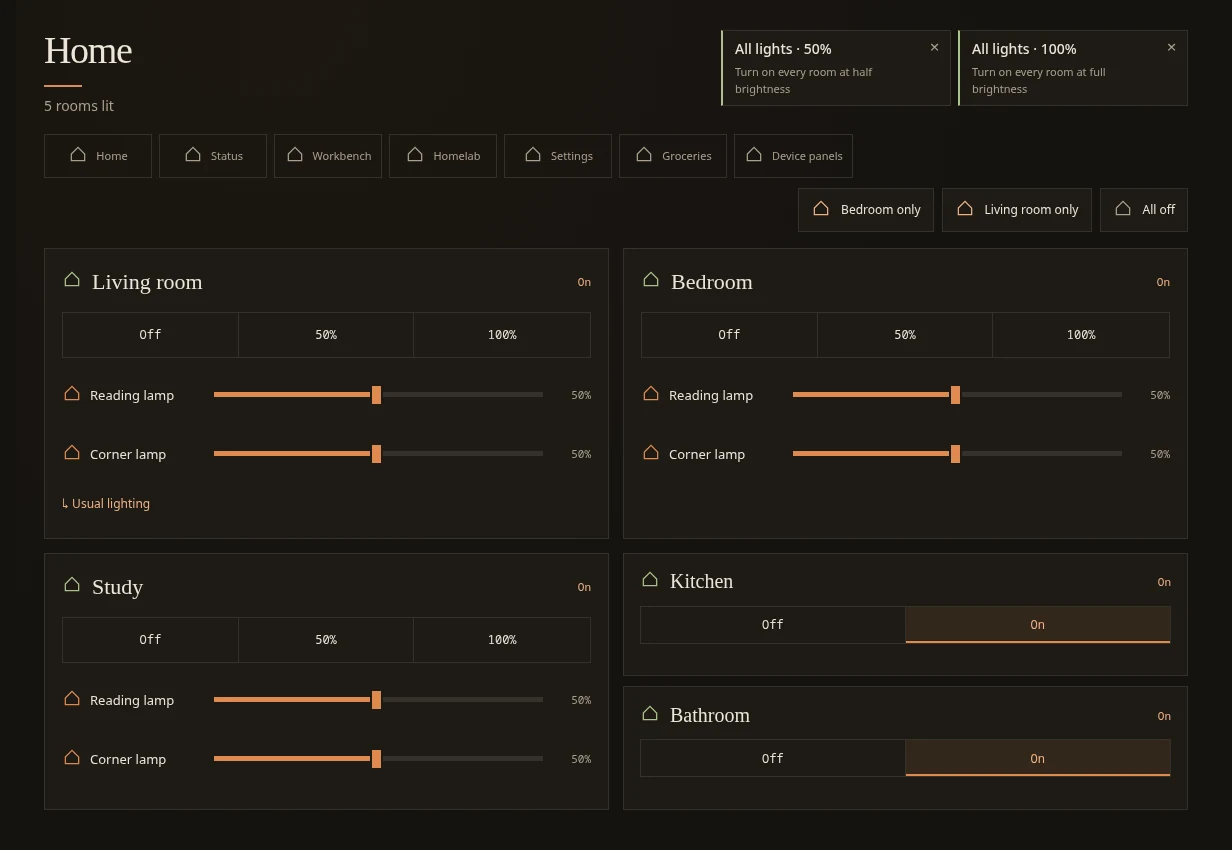
Controls should stay put as information changes. Suggested routines use measured available space; overflow moves into a clearly labelled menu rather than pushing the primary controls around. The browser checks cover resizing, keyboard focus, and updates arriving while someone is adjusting a slider.
A printer workflow, not just a temperature gauge
The household needs to know whether a print is running and when it might finish. The person maintaining the printer also needs history, estimates, and notes about earlier attempts. Those are different levels of detail.
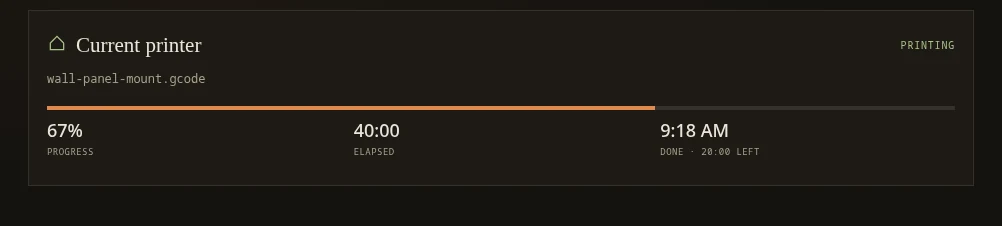
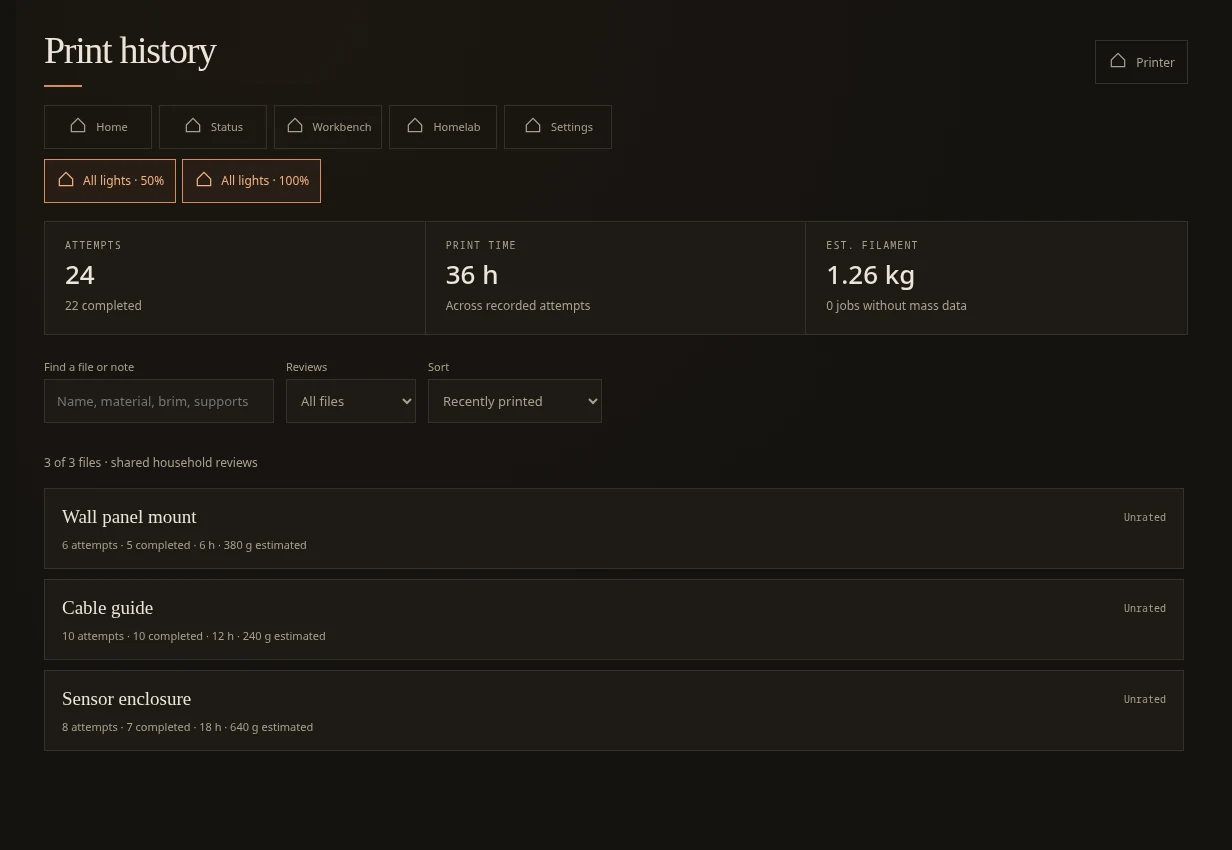
The broader printer page brings status, camera access, and history together. The status presentation distinguishes printing, standby, failure, and unavailable data. Estimates remain labelled as estimates; missing information should never look like a genuine zero.
Designed for the device
The same household uses desktop browsers, wall-mounted tablets, and repurposed phones. A kitchen panel and a handheld dashboard do not need identical information density.
- Room-specific panels emphasize the controls and context useful in that location.
- Stable layouts avoid moving a touch target just as someone reaches for it.
- Layered detail keeps the everyday surface simple while retaining deeper inspection.
- Workbench integration brings household planning into the same interface without duplicating its data model.
How the pieces fit
flowchart TD
  accTitle: Hearth presentation and integration
  accDescr: Browser panels use Home Assistant and the custom Hearth integration. Home Assistant connects to household devices, while a read-only collector supplies monitoring snapshots.
  Panels["Browser and device panels"] --> HA["Home Assistant + Hearth integration"]
  HA --> Devices["Household devices and automations"]
  Collector["Read-only monitoring collector"] --> HA
  Systems["Service health and host metrics"] --> Collector
The frontend is dependency-free browser JavaScript. The Python integration owns authenticated APIs and server-side behavior. A separate collector supplies operational snapshots. Large detail payloads are fetched for the view that needs them rather than repeatedly pushing everything into every client.
Failure states are part of the design
“Unavailable” is a useful answer. A stale heartbeat must not become a reassuring green indicator. A failed request should not start an endless retry loop. A device failure should preserve familiar controls while explaining why they cannot currently be used.
I test the frontend with mocked Home Assistant state and service calls. That makes it possible to exercise unavailable lights, stale data, responsive layouts, and focus behavior without operating household devices during a test run.
Current state and next steps
Hearth is in household use and continues to evolve. Voice services now include dedicated GPU speech processing, with separate fallback paths. Experimental detection and announcement features have their own acceptance boundaries; installing a service is not the same as enabling every automation it could drive.
The images here render the real frontend in an isolated fixture, with staged state and simplified stand-in icons for Home Assistant’s icon component. They illustrate the interface, not a live household session.
Continue with monitoring, local AI, or Workbench.